Main > Best Citrix ShareFile Alternatives for Secure File Sharing in 2026
Best Citrix ShareFile Alternatives for Secure File Sharing in 2026
March 13, 2026
8-9 min read
637reads
Citrix ShareFile remains a trusted cloud-based solution for business teams who need to share files and collaborate securely. However, some professionals may seek faster performance, more reliable security, and better value for money.
In this article, we explore the leading modern alternatives to help you find the tool that supports your workflow and document management needs reliably and affordably.
Why businesses look for alternatives to Citrix ShareFile
According to the latest user reviews, common ShareFile limitations include the following:
High pricing relative to value. Users note that plans are costly, and the storage provided may be insufficient for the price.
Limited access to advanced VDR capabilities. Key features needed for deal workflows are sometimes available only in higher-tier plans, making scaling expensive.
Slow upload performance. Large files can take significant time to upload, delaying collaboration and document review.
Restricted customization options. The portal could offer more branding options, which may limit the ability to present a polished, fully customized experience.
Unreliable file syncing. Some users report that Citrix ShareFile does not consistently sync files across devices or accounts, requiring manual workarounds like renaming or relocating documents.
Quick note: ShareFile is no longer part of Citrix. After being acquired by Citrix in 2011, it was rebranded as Citrix ShareFile. In 2023, it became part of Cloud Software Group, and in 2024, it was purchased by Progress Software. Today, ShareFile operates as a standalone EFSS platform focused on cloud-based client and customer file sharing through branded portals.
These challenges push modern businesses to search for more advanced, cloud-native platforms that deliver stronger performance, predictable pricing, and intuitive real-time collaboration.
Five best Citrix ShareFile competitors
In this section, we provide an overview of leading alternatives, including their core use cases, strengths, and limitations based on the latest G2 user reviews. Compare the options to see which one fits you.
1. Ideals
Since 2008, Ideals has redefined what a virtual data room can be by combining transparent pricing, an intuitive user experience, secure sharing tools, and outstanding customer service into a single package. This mix made the provider one of the fastest‑growing VDR providers, trusted by millions of professionals worldwide, from investment bankers and advisors to real‑estate teams and public organizations.
Ideals puts ease‑of‑use and reliability first. As a result, it has been rated among the best secure document sharing software on G2 for four consecutive years.
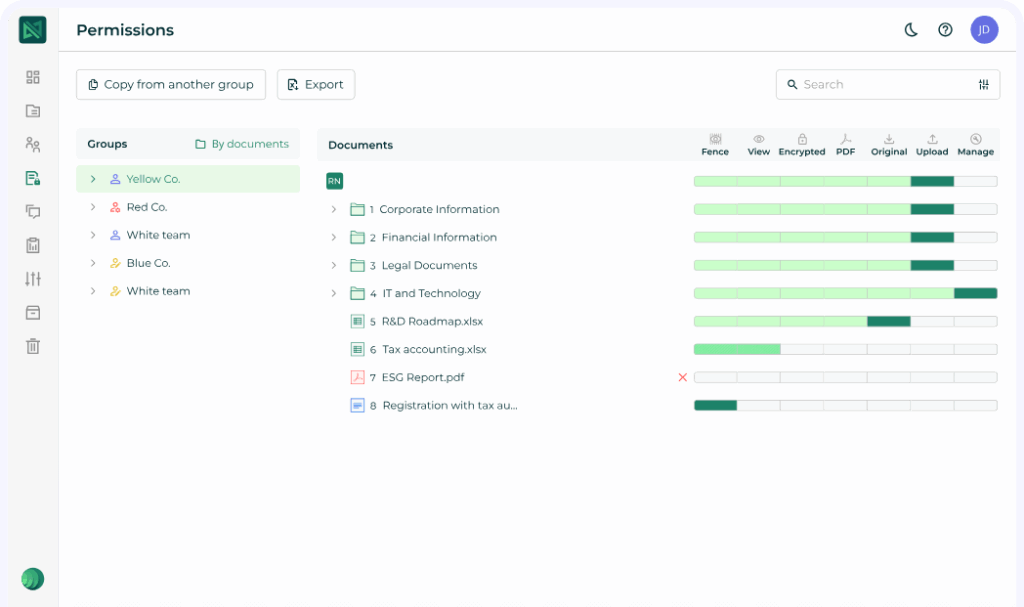
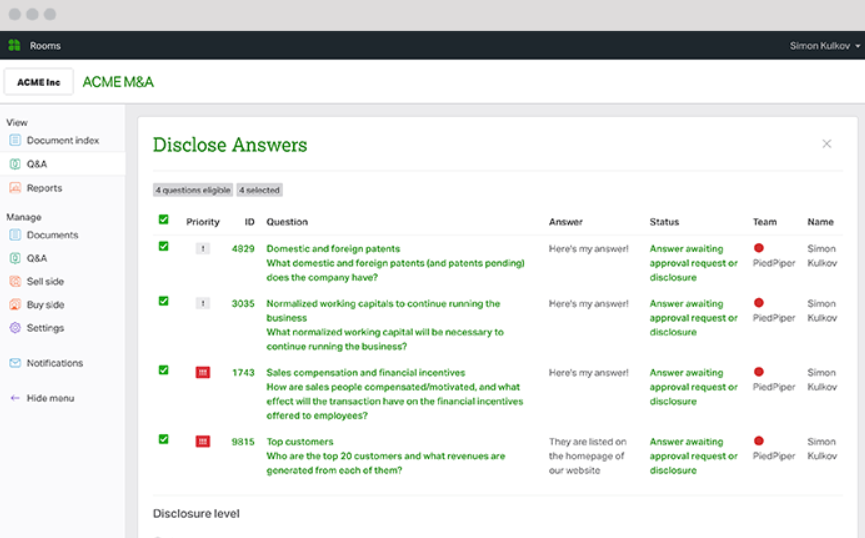
Ansarada delivers secure, purpose-built software for managing high-stakes projects, including M&A, capital raising, restructures, and infrastructure procurement. Its virtual data room features advanced AI-driven insights and automation, enhanced Q&A, tools for streamlined collaboration, and customizable workflows.
Ansarada interface
Common use cases
Buy-side M&A
Sell-side M&A
Capital raising
Initial public offering
Insolvency and restructuring
Strategic review
Pros
Intuitive, user-friendly interface
Easy navigation for all parties
Responsive, helpful customer support
Strong client engagement and global support
Comprehensive platform features
Cons
Expensive compared to other VDRs
Slow performance with large files and redaction tools
Limited flexibility in dataroom roles and permissions
The bulk redaction function can be inconsistent
Limited reporting and document tracking features
Restricted customization options
3. Intralinks
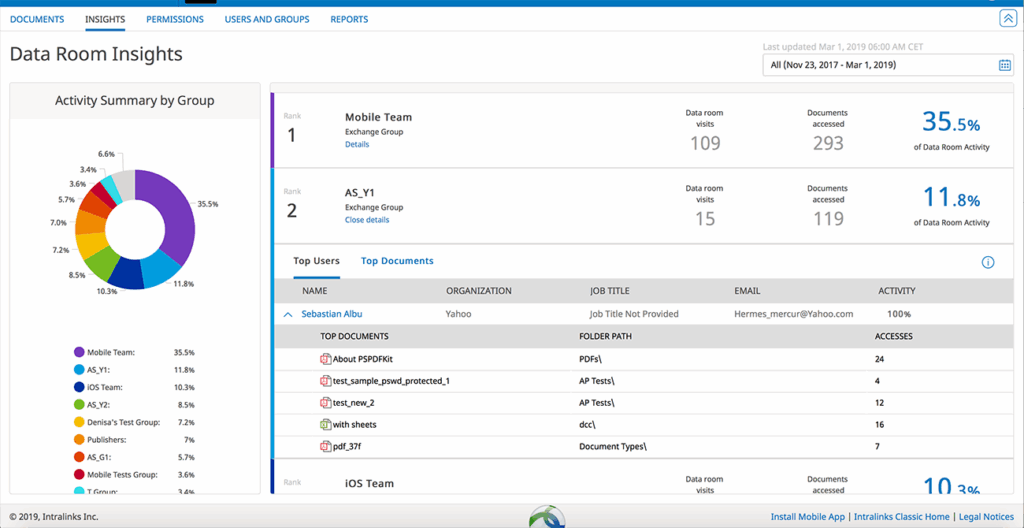
Intralinks VDRPro is used by many large organizations, including Fortune 1000 companies, to support a wide range of deals. The platform provides tools for managing both complex transactions and standard due diligence processes, offering greater control, visibility, and enterprise-grade security for sensitive documents.
Intralinks interface
Common use cases
Mergers and acquisitions
Initial public offering
Fund management
Financing
Syndicated lending
Secure document exchange
Pros
Advanced security and control
Granular permissions
Reliable performance
Intuitive and structured interface
Easy integration with other systems
Cons
High pricing, especially for smaller teams or larger data rooms
Complex setup and onboarding
Cumbersome bulk upload and Q&A functionality
Limited flexibility in folder structure and permissions customization
The interface design could be more modern
Additional resources: Check another ShareFile alternative ⮕ Box data room.
4. Onehub
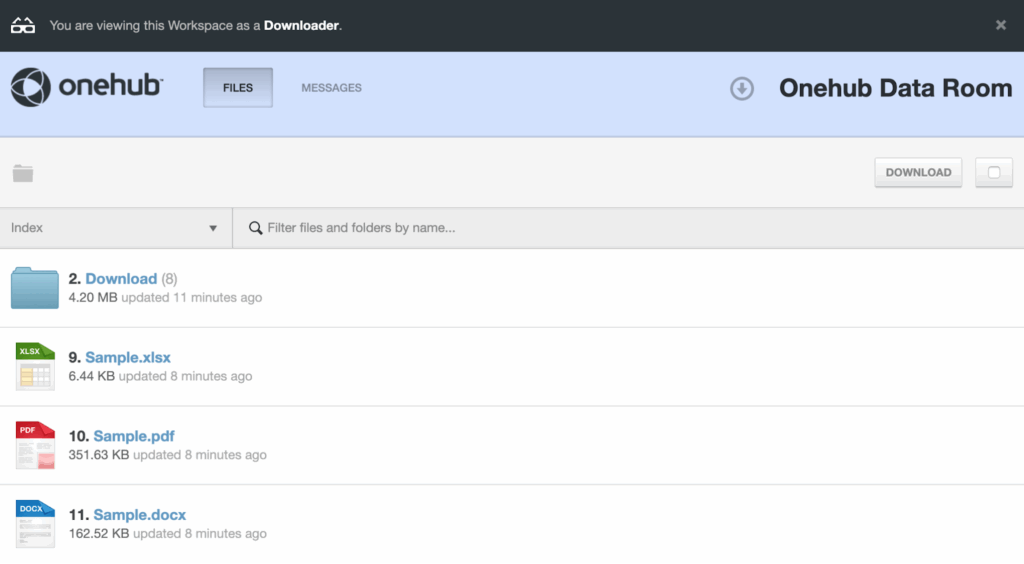
Onehub offers secure cloud storage and business file sharing tools designed for companies of all sizes. The platform uses bank-level encryption and granular, role-based permissions to give organizations control over who can access their content.
Onehub interface
Common use cases
Client portal
File sharing portal
Data room
FTP alternative
Online data storage
Remote work
Pros
Easy to use and flexible
Seamless integration with CRM
Efficient scheduling
Client management automation
Cons
Steep initial learning curve due to bundled features
Some features require time to adapt
5. Digify
Digify is a cloud-based document security and virtual data room platform that gives organizations full control, protection, and tracking of their documents. It combines advanced encryption, controlled access, analytics, and customizable watermarks in a single integrated solution.
Digify interface
Common use cases
Startup fundraising
PE and VC fundraising
Commercial real estate
M&A data room
Pros
Ease of use
Encrypted file sharing
Robust security features
Granular access control
Cons
Unintuitive data management for admins
Limited Excel file preview
Confusing access control and permission management
When choosing a platform, consider your workflow complexity, team size, security needs, and budget to find the solution that best fits your organization.
Next, we compare the security and compliance features of these cloud collaboration platforms. Use this information to evaluate which VDR offers the strongest protections and meets regulatory requirements.
Security and regulatory compliance comparison
Virtual data rooms protect sensitive information through a combination of technical safeguards and adherence to recognized compliance frameworks.
In addition to traditional end-to-end encryption and comprehensive audit trails, core VDR security measures include multi-factor authentication, granular access controls, and redaction. Compliance standards such as HIPAA, GDPR, FedRAMP, and SOC 2 provide independent verification that a platform meets legal, regulatory, and industry best practices.
Data room security comparison
Let’s review UpGuard’s ratings for each solution (as of November 2025) and compare which of the core data security features of modern VDR providers are offered by ShareFile and its key competitors.
ShareFile
UpGuard security rating: 941/950
✅ Granular access control
✅ Multi-factor authentication
✖️Built-in redaction
✖️View as other users
✖️Custom session timeout
✖️Screenshot prevention
✅ Single sign-on
✅ Remote wipe
1. Ideals
UpGuard security rating: 948/950
✅ Granular access control
✅ Multi-factor authentication
✅ Built-in redaction
✅ View as other users
✅ Custom session timeout
✅ Screenshot prevention
✅ Single sign-on
✅ Remote wipe
2. Ansarada
UpGuard security rating: 810/950
✅ Granular access control
✅ Multi-factor authentication
✅ Built-in redaction
✅ View as other users
✅ Custom session timeout
✖️Screenshot prevention
✅ Single sign-on
✅ Remote wipe
3. Intralinks
UpGuard security rating: 856/950
✅ Granular access control
✅ Multi-factor authentication
✅ Built-in redaction
✅ View as other users
✖️Custom session timeout
✅ Screenshot prevention
✅ Single sign-on
✅ Remote wipe
Note: Screenshot prevention applies only to Microsoft Office files (not PDFs), works on Windows (not macOS or Linux), and is effective only with specific document/user-level permissions.
4. Onehub
UpGuard security rating: 728/950
✅ Granular access control
✅ Multi-factor authentication
✖️Built-in redaction
✅ View as other users
✅ Custom session timeout
✖️Screenshot prevention
✖️Single sign-on
✖️Remote wipe
Additional resources: Check another ShareFile alternative ⮕ SecureDocs data room.
5. Digify
UpGuard security rating: n/a
✅ Granular access control
✅ Multi-factor authentication
✖️Built-in redaction
✖️View as other users
✅ Custom session timeout
✅ Screenshot prevention
✅ Single sign-on
✖️Remote wipe
Ideals leads the pack with the highest UpGuard score and full support for critical granular security features. This makes it a top choice for highly regulated environments requiring maximum protection for sensitive data.
Key VDR certifications and frameworks that demonstrate compliance support include the following:
HIPAArequires platforms handling protected health information (PHI) to implement administrative, physical, and technical safeguards. Compliance includes signing a Business Associate Agreement (BAA) and maintaining controls that protect the confidentiality, integrity, and availability of health data.
GDPRsets EU-wide standards for personal data protection. Compliant platforms support user rights (access, correction, deletion), enforce strict privacy policies, manage lawful cross-border data transfers, and ensure transparency in how data is processed.
FedRAMPdefines a standardized security framework for U.S. federal cloud services. Authorized platforms undergo independent audits and must meet stringent requirements for risk assessment, system authorization, and continuous monitoring of cloud environments.
SOC 2provides an independent assessment of a service provider’s controls governing system security and data handling. It evaluates how those controls support secure operations, protect sensitive information, and maintain service availability.
Virtual data rooms with these certifications have demonstrable, independently verified controls for protecting sensitive information, supporting legal and regulatory requirements, and providing customers with confidence that their data is secure.
HIPAA
GDPR
FedRAMP
SOC 2
ShareFile
✅
✅
✖️
✅
1. Ideals
✅
✅
✖️
✅
2. Ansarada
✖️
✅
✅
✅
3. Intralinks
✅
✅
✖️
✅
4. Onehub
✅
✅
✖️
✖️
5. Digify
✅
✅
✖️*leverages compliant AWS infrastructure
✖️*leverages compliant AWS infrastructure
In analyzing compliance across ShareFile competitors, Ideals and Intralinks emerge as the strongest options for regulated industries, offering comprehensive HIPAA, GDPR, and SOC 2 coverage. Ansarada differentiates itself with FedRAMP certification, positioning it as the only provider in this group appropriate for U.S. federal data projects.
In contrast, ShareFile, Onehub, and Digify meet fundamental HIPAA and GDPR requirements but fall short of the broader certifications needed for high-security or government-focused use cases.
Pricing overview: How ShareFile and its alternatives compare
The following section breaks down how leading data room providers structure their pricing and highlights what end-users say about the cost-effectiveness, transparency, and overall cost of each platform.
While the cost is competitive for enterprise users, it can feel steep for smaller teams or startups that don’t require all the premium features. Some report that ShareFile is more expensive than other solutions.
Reviewers highlight Ideals’ logical pricing structure, which is based on data space rather than the number of projects, making it easier to scale. Many users also note that the cost is comparable to other solutions while delivering a highly usable product.
Reviewers note that Ansarada’s pricing is generally competitive. Though some find the solution expensive, particularly because of the significant time and cost required to learn the platform.
The provider does not publicly disclose pricing for its virtual data rooms.
Users describe Intralinks as one of the more expensive VDR options, though some justify the cost by its strong security and compliance posture. Reviewers also mention that pricing rises sharply as the data room scales.
Reviewers report that Digify’s pricing goes beyond a basic subscription, making it costly for small businesses. Also, the storage may feel limited for some users and their needs.
Pricing among ShareFile alternatives varies, reflecting differences in scalability, features, and usability. Ideals delivers transparent, data-based pricing that scales logically. Intralinks and Onehub are more premium-priced solutions. Digify and Ansarada offer competitive options, but small teams may find costs high relative to storage or learning requirements.
Ultimately, evaluating value requires balancing price, functionality, and the platform’s fit for organizational needs.
Key takeaways
Some teams outgrow ShareFile due to its pricing structure, slower upload performance, and limited access to advanced features. These constraints can impact secure collaboration, deal workflows, and operational efficiency.
Ideals, Ansarada, Intralinks, Onehub, and Digify are reliable ShareFile alternatives. They support different use cases and levels of complexity, with strengths ranging from ease of use and transparent pricing to enterprise-grade compliance and automation.
Selecting the right data collaboration software requires evaluating your security needs, regulatory requirements, team size, storage demands, and budget. Understanding these factors helps ensure you choose a solution that supports immediate projects and long-term growth.
We use cookies on our website to ensure the best user experience. By clicking "Agree" you are letting us use cookies according to our cookie policy. Learn more